| .github | ||
| adapter | ||
| common | ||
| component | ||
| config | ||
| constant | ||
| context | ||
| dns | ||
| docker | ||
| docs | ||
| hub | ||
| listener | ||
| log | ||
| patch | ||
| rules | ||
| test | ||
| transport | ||
| tunnel | ||
| .gitignore | ||
| .golangci.yaml | ||
| check_amd64.sh | ||
| Dockerfile | ||
| flake.lock | ||
| flake.nix | ||
| go.mod | ||
| go.sum | ||
| LICENSE | ||
| main.go | ||
| Makefile | ||
| Meta.png | ||
| README.md | ||



Meta Kernel
Another Clash Kernel.



Features
- Local HTTP/HTTPS/SOCKS server with authentication support
- VMess, Shadowsocks, Trojan, Snell protocol support for remote connections
- Built-in DNS server that aims to minimize DNS pollution attack impact, supports DoH/DoT upstream and fake IP.
- Rules based off domains, GEOIP, IPCIDR or Process to forward packets to different nodes
- Remote groups allow users to implement powerful rules. Supports automatic fallback, load balancing or auto select node based off latency
- Remote providers, allowing users to get node lists remotely instead of hardcoding in config
- Netfilter TCP redirecting. Deploy Clash on your Internet gateway with
iptables. - Comprehensive HTTP RESTful API controller
Wiki
Documentation and configuring examples are available on wiki and Clash.Meta Wiki.
Build
You should install golang first.
Then get the source code of Clash.Meta:
git clone https://github.com/MetaCubeX/Clash.Meta.git
cd Clash.Meta && go mod download
If you can't visit github,you should set proxy first:
go env -w GOPROXY=https://goproxy.io,direct
Now you can build it:
go build
If you need gvisor for tun stack, build with:
go build -tags with_gvisor
IPTABLES configuration
Work on Linux OS which supported iptables
# Enable the TPROXY listener
tproxy-port: 9898

iptables:
  enable: true # default is false
  inbound-interface: eth0 # detect the inbound interface, default is 'lo'
General installation guide for Linux
-
Create user given name
clash-meta -
Download and decompress pre-built binaries from releases
-
Rename executable file to
Clash-Metaand move to/usr/local/bin/ -
Create folder
/etc/Clash-Meta/as working directory
Run Meta Kernel by user clash-meta as a daemon.
Create the systemd configuration file at /etc/systemd/system/Clash-Meta.service:
[Unit]
Description=Clash-Meta Daemon, Another Clash Kernel.
After=network.target NetworkManager.service systemd-networkd.service iwd.service

[Service]
Type=simple
User=clash-meta
Group=clash-meta
LimitNPROC=500
LimitNOFILE=1000000
CapabilityBoundingSet=CAP_NET_ADMIN CAP_NET_RAW CAP_NET_BIND_SERVICE
AmbientCapabilities=CAP_NET_ADMIN CAP_NET_RAW CAP_NET_BIND_SERVICE
Restart=always
ExecStartPre=/usr/bin/sleep 1s
ExecStart=/usr/local/bin/Clash-Meta -d /etc/Clash-Meta

[Install]
WantedBy=multi-user.target
Launch clashd on system startup with:
$ systemctl enable Clash-Meta
Launch clashd immediately with:
$ systemctl start Clash-Meta
Display Process name
Clash add field Process to Metadata and prepare to get process name for Restful API GET /connections.
To display process name in GUI please use Razord-meta.
Dashboard
We also made a custom fork of yacd provide better support for this project, check it out at Yacd-meta
Development
If you want to build an application that uses clash as a library, check out the the GitHub Wiki
Debugging
Check wiki to get an instruction on using debug API.
Credits
- Dreamacro/clash
- SagerNet/sing-box
- riobard/go-shadowsocks2
- v2ray/v2ray-core
- WireGuard/wireguard-go
- yaling888/clash-plus-pro
License
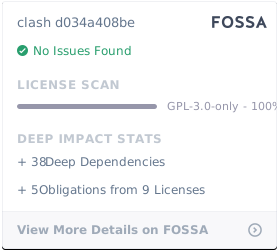
This software is released under the GPL-3.0 license.